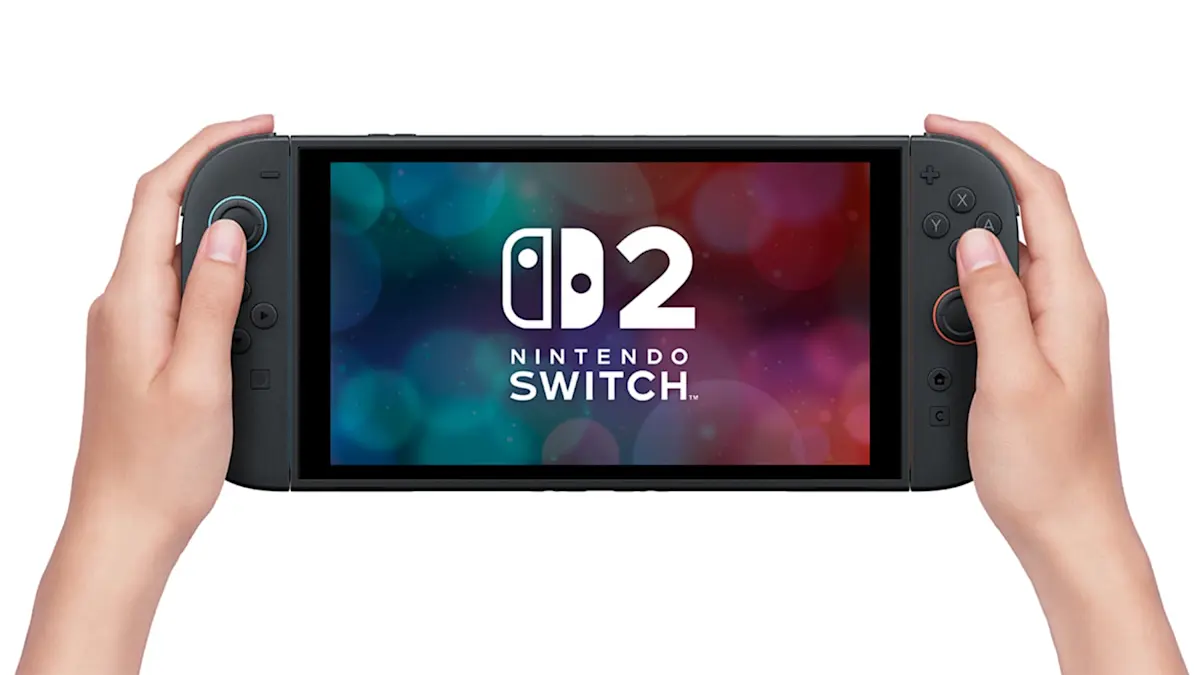
Short answer: the Nintendo Switch 2 is worth the upgrade if you want sharper graphics, the newest Switch 2 games and a bigger screen. Stay with the Switch 1 if you mostly play older titles and don't mind 720p. The Switch 2 has been out since June 2025, so there are now plenty of games and real-world experience. Here's how the two compare, and how to try the Switch 2 before you commit.
Switch 1 vs Switch 2 at a glance
The Switch 2 is bigger, sharper and faster. The older models last longer on one charge. Here are the key differences:
Screen: the Switch 2 has a 7.9-inch LCD with 1080p, HDR10 and up to 120 Hz. The original Switch has a 6.2-inch LCD and the Switch OLED a 7-inch OLED, both at 720p.
On the TV: the Switch 2 outputs up to 4K at 60 fps, or 120 fps at 1080p or 1440p. The older models go up to 1080p.
Storage: 256 GB on the Switch 2, 64 GB on the Switch OLED and 32 GB on the original Switch.
Memory cards: the Switch 2 only takes microSD Express cards (up to 2 TB). The older models use regular microSD cards.
Wi-Fi: Wi-Fi 6 on the Switch 2, Wi-Fi 5 on the older models.
Battery: about 2 to 6.5 hours on the Switch 2, compared with about 4.5 to 9 hours on the Switch OLED and the 2019 Switch.
Controllers: the Switch 2 comes with Joy-Con 2, which attach with magnets and work as a mouse. The older models use Joy-Con on rails.
Weight with controllers: about 534 g for the Switch 2, 420 g for the Switch OLED and 398 g for the original Switch.
Source: Nintendo Switch 2 tech specs.
Performance and graphics
The Switch 1 uses an Nvidia Tegra X1 chip from 2015. You notice its age in newer games: lower resolution, longer loading times and frame drops. The Switch 2 uses a custom Nvidia chip that supports 4K output on the TV, 1080p in handheld mode and up to 120 frames per second in supported games. Many Switch 1 games also run more smoothly on the Switch 2.
Screen and design
The Switch 2 has a 7.9-inch LCD screen with 1080p and HDR10. That's bigger and sharper than both older models. One thing to know: the Switch OLED has deeper blacks thanks to its OLED panel, but only 720p. If you love the OLED colours, compare both in person.
The Switch 2 is bigger and heavier (about 534 g with Joy-Con). For long handheld sessions, many players use a stand or grip.
Joy-Con 2 and controls
The Joy-Con 2 attach with magnets instead of rails, which makes them quicker to take off. They are bigger, have larger buttons and can work like a computer mouse when you slide them on a table. A new C button opens voice chat and screen sharing with friends.
Games and compatibility
Backward compatible: most Switch 1 games run on the Switch 2. Some get free or paid upgrades with better graphics or extra content.
New games: a growing library of games made only for the Switch 2, plus new releases that come out for both consoles.
Game keys: some physical Switch 2 games come as a key that downloads the game. You need an internet connection the first time.
Accessories: what you can keep
Joy-Con (Switch 1) and Pro Controller: work wirelessly with the Switch 2 for supported games.
Switch 1 dock: not supported for Switch 2. Use the dock that comes with it.
microSD cards: Switch 2 games need a microSD Express card. Old microSD cards only work to copy screenshots and videos.
Price in 2026
The Switch 2 launched in June 2025 at a recommended price of €469.99. Nintendo raised the price in several regions in 2026. The Switch 1 and Switch OLED are cheaper, especially second-hand, but they won't get new Switch 2 games.
Pros and cons
Nintendo Switch 1 / OLED
Pros: lower price, huge game library, longer battery life (OLED: beautiful screen)
Cons: 720p in handheld mode, aging performance, no Switch 2 exclusives
Nintendo Switch 2
Pros: 1080p screen with HDR and 120 Hz, 4K on the TV, 256 GB storage, new exclusives, plays most Switch 1 games
Cons: higher price, shorter battery life, heavier, needs microSD Express cards
Verdict: Switch 1 or Switch 2?
Choose the Switch 2 if you want new Nintendo games, play a lot on the TV, or want a console that lasts for years.
Stay with the Switch 1 or OLED if you play casually, mostly in handheld mode, and your favourite games already run well.
Not sure yet? Rent the Switch 2 first and decide later.
Why rent a Nintendo Switch 2?
No big upfront cost: rent the Nintendo Switch 2 for a monthly price instead of paying for the console in one go.
Try before you commit: play the new games and see if the upgrade is worth it for you.
Grover Care: Grover Care covers most repair costs for damage.
Upgrade later: when a newer model comes out, switch to it without selling your old console first.
Less e-waste: consoles are refurbished and rented again.
Looking for more? Compare all gaming consoles, take a look at handheld consoles or see what the PS5 has to offer.
FAQ
Can I play Switch 1 games on the Switch 2? Yes, most Switch 1 games work on the Switch 2. A small number of titles have known issues; Nintendo lists them on its support pages.
Does the Switch 2 have an OLED screen? No. The Switch 2 has a 7.9-inch LCD screen with 1080p, HDR10 and up to 120 Hz. The Switch OLED (2021) is the model with an OLED screen.
Does the Switch 2 support 4K? Yes, in TV mode with the dock, compatible games run in up to 4K at 60 fps.
Can I use my old Joy-Con and microSD card? Old Joy-Con work wirelessly with supported games. For Switch 2 games, you need a microSD Express card; normal microSD cards only work to copy screenshots and videos.
Is the Switch 2 worth it? For most players, yes: there are now many Switch 2 games, and most of your Switch 1 library still works. If you're unsure, renting lets you try it first.